
Select your vehicle
Mobile Multi-media


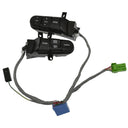


Mobile multimedia parts cover the hardware that drives in-car audio, video, and navigation - from the capacitors that stabilize voltage inside your head unit to the touchscreen infotainment display your system runs on. Radio capacitors typically fail after 8–15 years as electrolytic capacitors dry out, causing distorted audio, random resets, or a dead unit that won't power on. Infotainment displays develop dead zones, backlight failures, or cracked digitizers and usually need full panel replacement rather than repair. Radio knobs and control units wear out from daily use, while CD/DVD mechanisms jam or skip after roughly 5–7 years of regular use. When buying, confirm the part number matches your vehicle's trim and build date - infotainment displays in particular vary by screen size, connector type, and software generation even within the same model year. OEM units guarantee fit and software compatibility; aftermarket alternatives can save 30–50% but verify they support your vehicle's CAN bus or MOST network protocol.
Signs you need replacement
- Head unit powers on but produces no sound or heavily distorted audio. A failed radio capacitor is a common culprit - dried-out capacitors can no longer filter voltage properly, causing buzzing, crackling, or complete audio dropout even with a known-good speaker setup.
- Touchscreen responds to input in some areas but not others, or shows dead zones and ghost touches. Infotainment display digitizers delaminate or fail in zones over time; a partial response typically means the display assembly needs replacement, not a software fix.
- Head unit resets randomly, loses memory settings after engine shutoff, or won't retain the time and station presets. This pattern points to capacitor failure or a failing radio control unit struggling to maintain stable power management.
- CD or DVD mechanism grinds, spits discs out immediately, or shows a "no disc" error with a known-good disc. Laser assemblies and disc transport mechanisms wear out - a single failed CD or DVD player unit generally isn't repairable cost-effectively and should be replaced.
- Volume knob, tuning knob, or source selector feels loose, spins freely without changing the setting, or requires multiple turns to register input. Radio knobs use plastic splines or rotary encoder stems that strip with heavy use; replacement knobs are direct-fit and typically require no tools.
- Antenna base shows corrosion, the mast won't retract, or FM reception has deteriorated significantly. A radio antenna base repair kit can restore the ground connection and weatherproof seal without replacing the entire fender-mount assembly.
Frequently asked questions
- Do I need to match the exact OEM part number for an infotainment display replacement? Yes - infotainment displays are among the most fitment-sensitive parts in this category. Screen resolution, connector pinout, and display controller firmware all vary by production date and trim level. Cross-reference your vehicle's VIN and the part number printed on the back of your existing display before ordering to avoid incompatibility.
- Are aftermarket radio capacitors as reliable as OEM for a head unit repair? Quality aftermarket capacitors from brands like Nichicon or Panasonic are widely used in professional repairs and match or exceed OEM spec. Match voltage rating and capacitance exactly to the failed component. Avoid no-brand capacitor kits - undersized voltage ratings can lead to repeat failures within a year or two.
- How difficult is it to replace an infotainment display yourself, and what else should I replace at the same time? Difficulty ranges from moderate to high depending on the vehicle - most require dash trim removal and connector access behind the unit. If you're already pulling the head unit for a display swap, inspect and replace any worn radio knobs and the antenna base seal at the same time to avoid repeating the disassembly labor.